16 AI driver voices
Distinct male voices across British, Indian, Irish and Australian accents — Google Chirp 3 HD via the Online Voice Server, with Edge TTS and Windows TTS as offline fallbacks.
RailComms is a virtual GSM-R radio that handles every phone call with your drivers, signallers and shunters — with AI driver voices, authentic radio FX, push-to-talk voice replies, and live multiplayer calls between players.
Features
Built specifically for SimSig. Realistic call types, authentic radio audio, and the workflow tools that make running a busy panel actually fun.
Distinct male voices across British, Indian, Irish and Australian accents — Google Chirp 3 HD via the Online Voice Server, with Edge TTS and Windows TTS as offline fallbacks.
Driver calls play through a 180–3400 Hz bandpass with PTT mic clicks, subtle carrier hiss, and per-voice pitch variation. Office calls (signaller, station, yard) play clean.
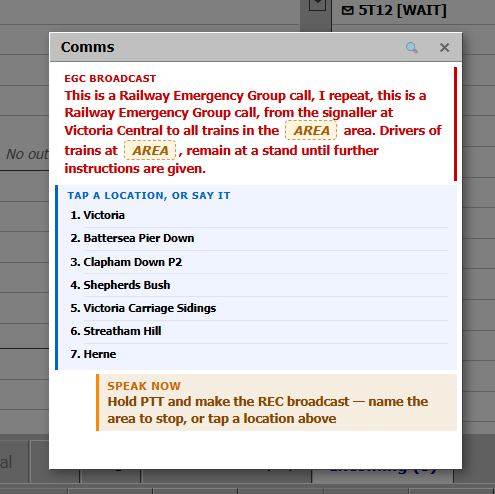
Hold Left Ctrl and speak. Cloud STT with railway phrase boost — NATO phonetic, signal numbers, common reply terms — matches your speech to the right reply option.
Cab, yard, station, office and trackside loops — only audible while the other party is speaking. Silent during your PTT and idle waiting, so the radio sounds real, not noisy.
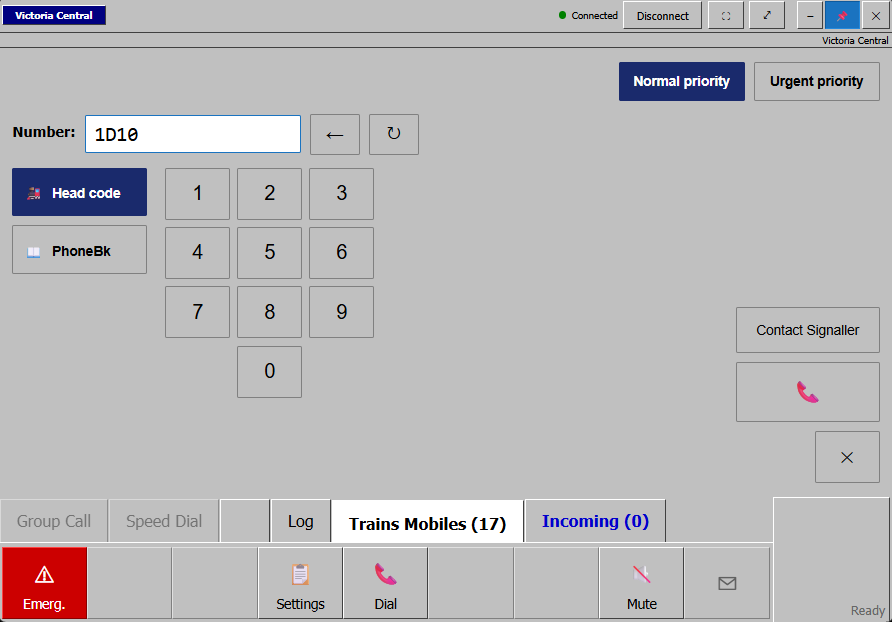
Player-to-player WebRTC calls with automatic LAN peer discovery and a cloud relay fallback. Dial real signallers from the Global phonebook — peer-to-peer for low latency.
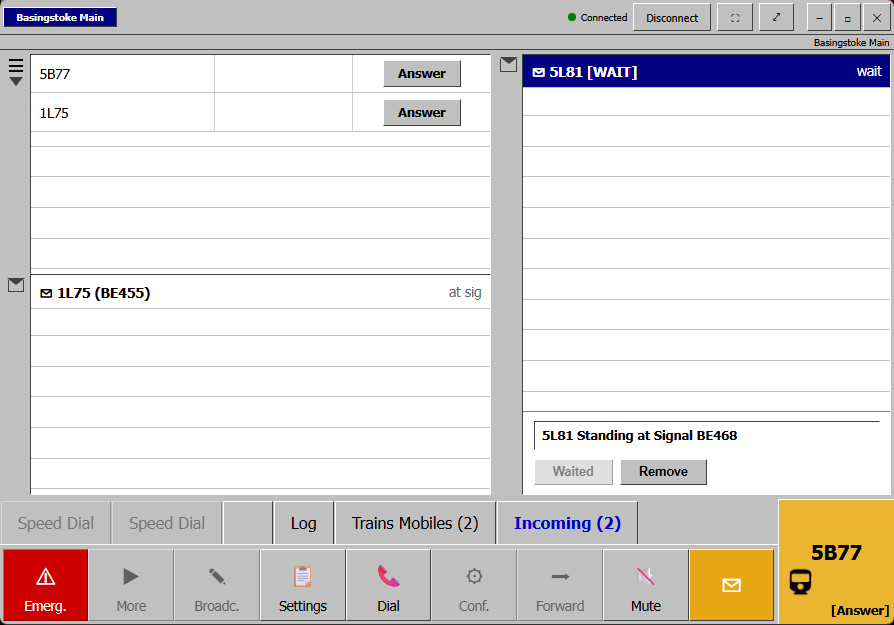
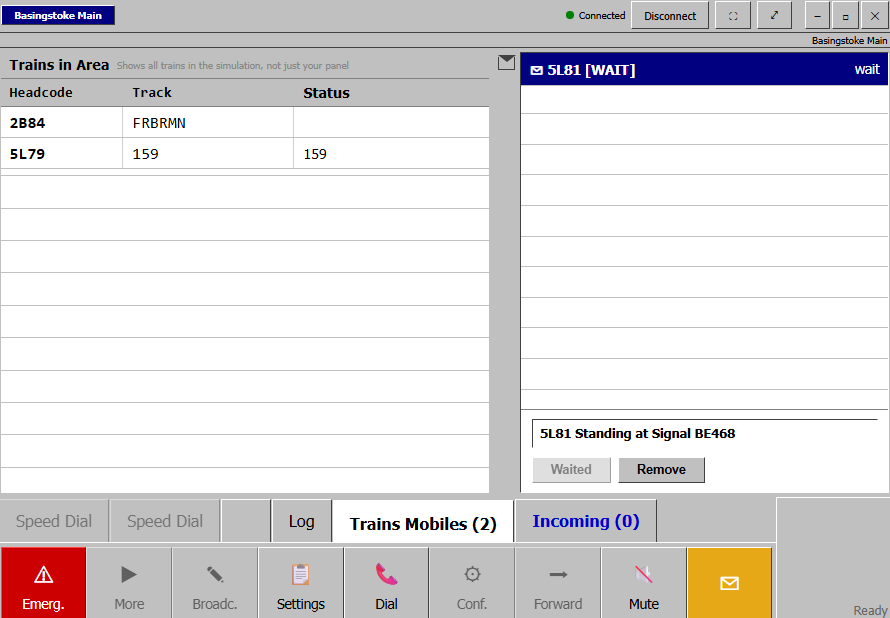
Trains waiting at red signals appear with repeating notifications. Queue a one-shot "Wait 5 minutes" reply for the driver's next call — fires once, then they reach you normally.
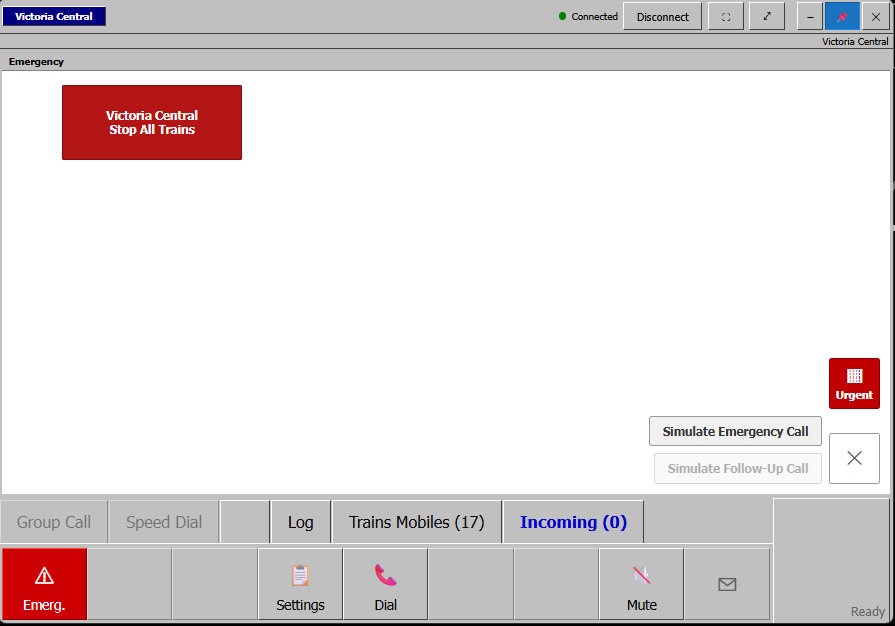
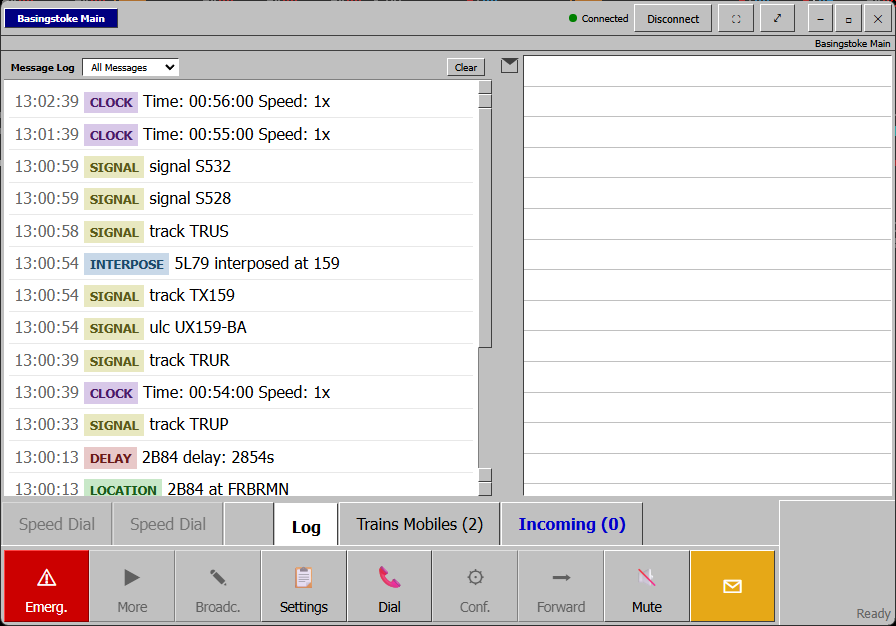
Drive RailComms from an iPad or any browser on your network. Mirrors the host UI live: answer/hangup, replies, alerts, phonebook, message log. Audio plays on the host PC.
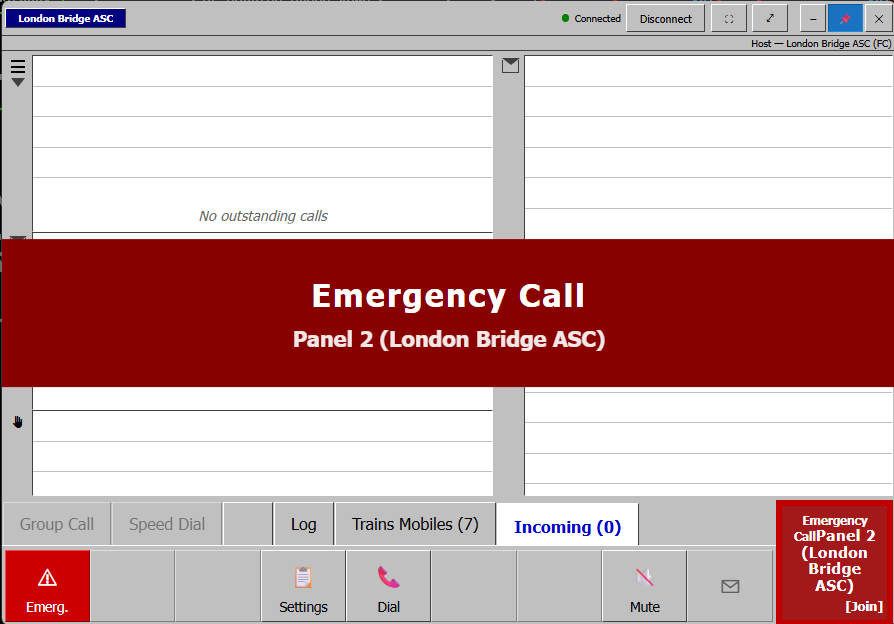
Failure dialogs auto-dismissed. On exit, RailComms restores SimSig to a clean state — moves off-screen dialogs back, clears stale calls, unmutes audio.
How it works
SimSig fires a phone call into RailComms over the gateway. RailComms generates a realistic spoken message, you reply by voice or click, and SimSig stays in sync — all hands-free.
Run the Windows installer, enter your SimSig initials, and click Connect. The setup wizard walks you through audio devices and the Online Voice Server in under a minute.
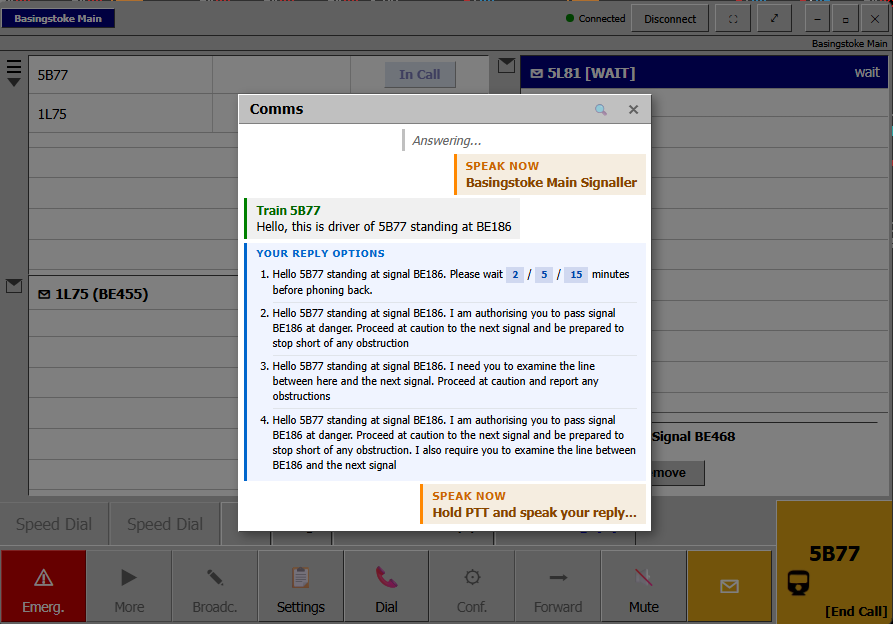
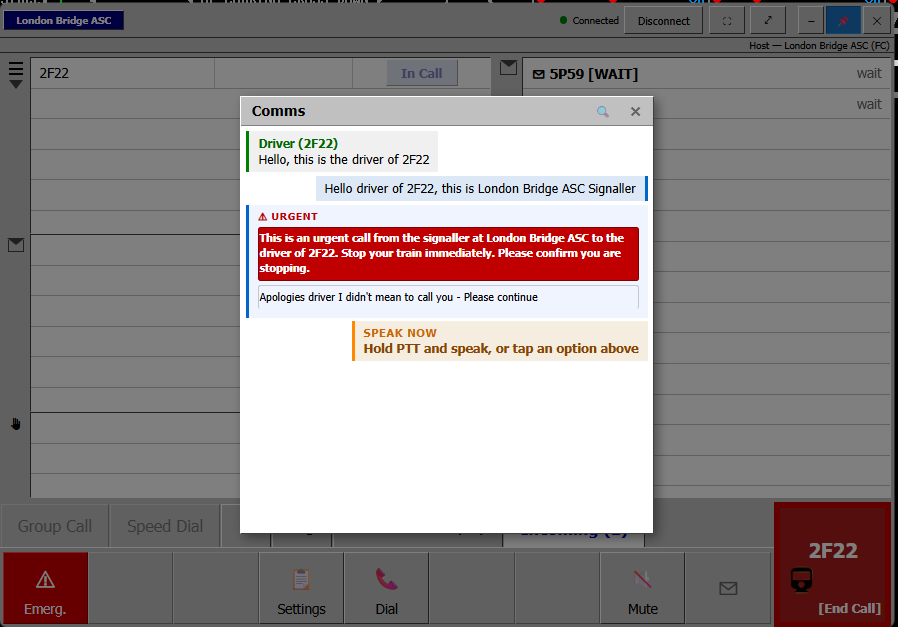
You hear ringing. The Incoming tab shows their headcode and signal. Hit Answer — the driver speaks with full GSM-R radio FX and cab ambience playing in the background.
Hold Left Ctrl and speak — Google STT matches what you said to the right reply (Wait 5, Pass at danger, examine the line…). Or click. RailComms speaks back, then closes the call.
Connects to the SimSig gateway over STOMP. Requires SimSig with Enable Remote Control turned on. Detect-Gateway button finds the IP automatically.
Realism
RailComms generates the right wording for the right caller. Drivers get full GSM-R radio FX and cab noise. Signallers and office staff sound clean. Shunters get yard ambience. The signaller-out close is automatic.
Hello, this is 1A45 standing at signal MP217. The signal is showing no aspect.
Hello panel, this is Westbury Signaller. I have 2C19 running early via Frome…
Hello, this is the Shunter in Reading West Yard. Train 5O42 is ready.
Hello, this is 1P30 at Bristol Temple Meads. We are waiting for the train to arrive…
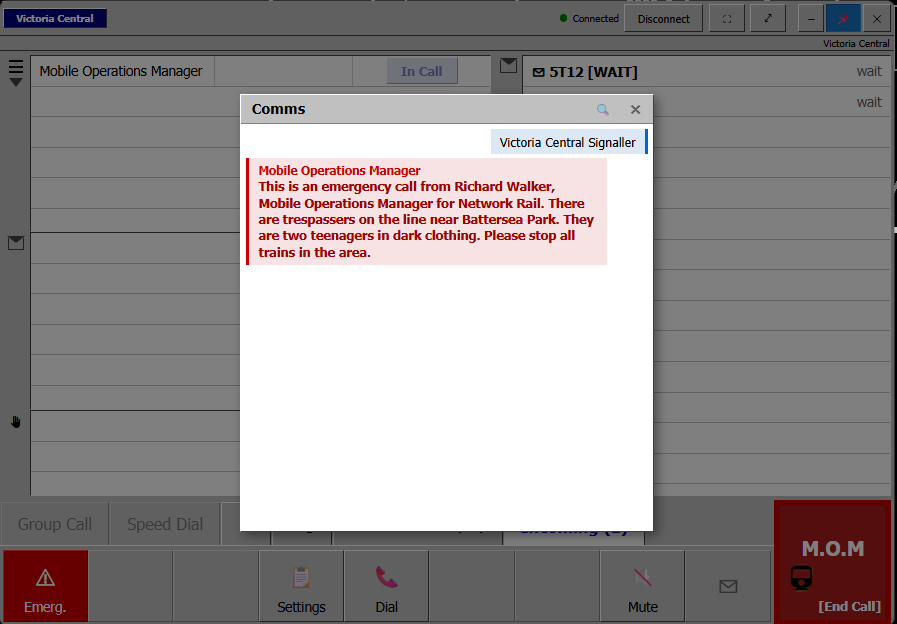
Hello Signaller, this is the MOM down at the points failure in the Up Loop. Good news — fixed.
Hello panel, this is the Token Hut at Severn Beach…
Pricing
No subscription. No login. No telemetry. Buy it once, install it on your machine, and get every future update free.
Everything in RailComms. No upsells, no tiers.
Buy RailCommsWindows 10 / 11. Internet recommended for AI voices and STT (offline fallbacks included).
FAQ
Yes. RailComms is a companion to SimSig — it connects to the SimSig gateway over STOMP and reads incoming calls from SimSig's phone dialog. Without SimSig running, there are no calls to handle.
The headline voices (Google Chirp 3 HD via the Online Voice Server) need internet. RailComms ships with two offline fallbacks: Microsoft Edge TTS (good quality, needs internet) and Windows TTS (basic, fully offline).
Player-to-player calls use WebRTC, peer-to-peer for low latency. RailComms automatically discovers other players on your LAN and falls back to a cloud relay if a direct connection isn't possible.
Yes — Browser Access is enabled by default. Open the URL shown in Settings from any device on your network and you get a live mirror of the host UI: answer, reply, dial, alerts, message log. Audio always plays on the host PC.
No. RailComms is an independent, fan-made companion tool. It is not affiliated with, endorsed by, or sponsored by SimSig, Network Rail, or any railway operator or authority.
A perpetual licence for the current and all future versions of RailComms, with no subscription. The Online Voice Server is included — there are no per-call fees or usage limits.
If RailComms doesn't work for you, email me within 14 days of purchase and I'll refund you. Software is non-returnable but I'd rather you had your money back than be unhappy.
Not currently. RailComms is Windows 10/11 only because it integrates tightly with SimSig's native window — and SimSig itself is Windows-only.